| Age OutliersTrial |
Flags parent–child relationships with biologically implausible ages—mothers outside childbearing range, fathers too old or too young, children born before a parent or after a parent’s death, and similar date conflicts. |
Review panelOptional PDF |
| Ahnentafel |
Builds a numbered ahnentafel ancestor list for the open profile (slot 1 = profile, 2 = father, 3 = mother, and so on), with names, dates, and places. |
PDFUp to 14 generations |
| Ancestor Origins |
Identifies foreign-born ancestors on the paternal and maternal lines whose birth country differs from the profile person’s. Requires a profile with a known birth country. |
PDF |
| Ancestor Pedigree |
Lists direct-line ancestors of the open profile, grouped by generation (parents, grandparents, great-grandparents, etc.). |
PDF |
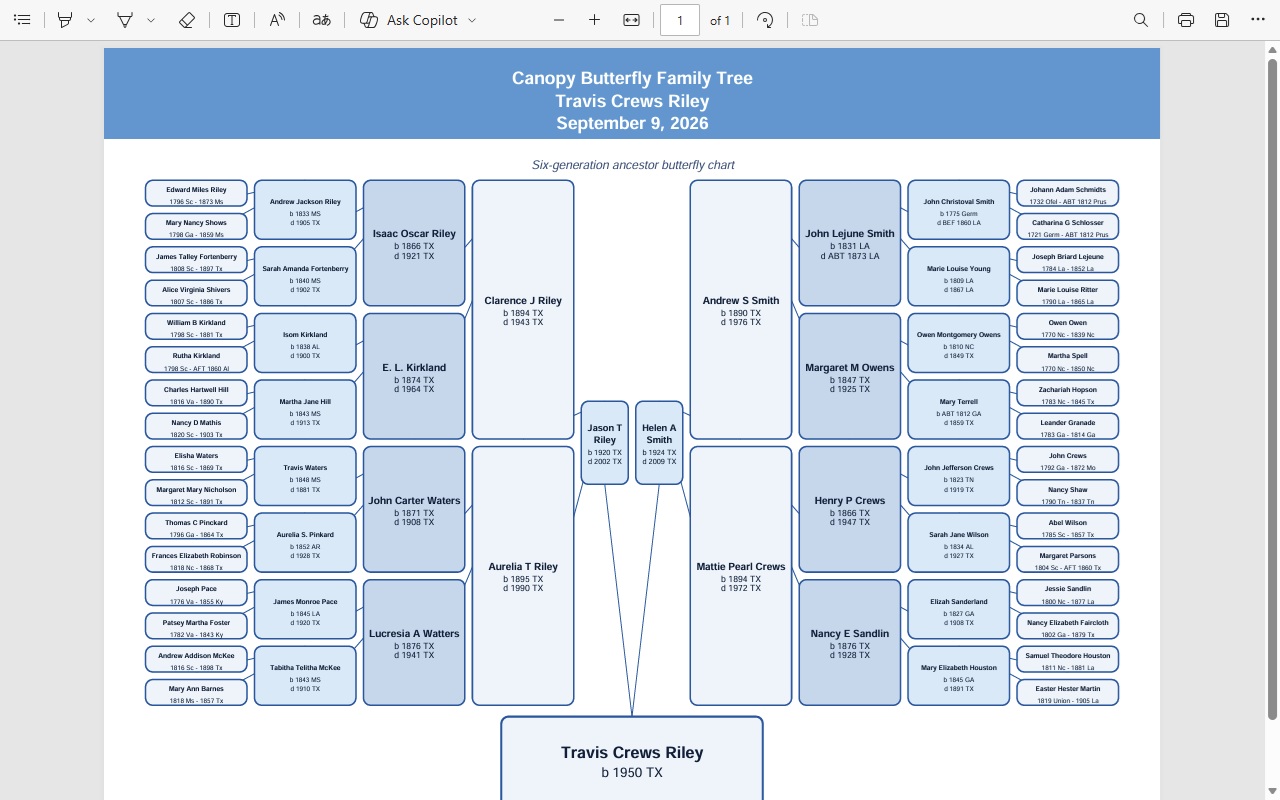
| Butterfly Family Tree |
Generates a six-generation hourglass ancestor chart PDF for the open profile. |
PDF |
| Classic Fan Chart |
Generates the recovered 180° half-circle ancestor fan chart PDF for the open profile (Canopy’s original fan layout). Defaults to 5 generations; choose 3–5. Generation 1 is the profile person at the center of the semicircle. Heading sits at the top margin; the chart image is centered separately below it. |
PDFLandscape Letter |
| Descendant Pedigree |
Maps descendants of the open profile generation by generation, including spouses and children. |
PDF |
| Doubling DownSpecial Interest |
Finds biologically valid double first cousin structures: two siblings from Family A marry two siblings from Family B (Sister Exchange and Two Brothers / Two Sisters). Each structure is a numbered block listing the two ancestral families, the two marriages that create it, and any DFC marriages among the resulting cousins. |
PDF |
| Duplicate DetectiveTrial |
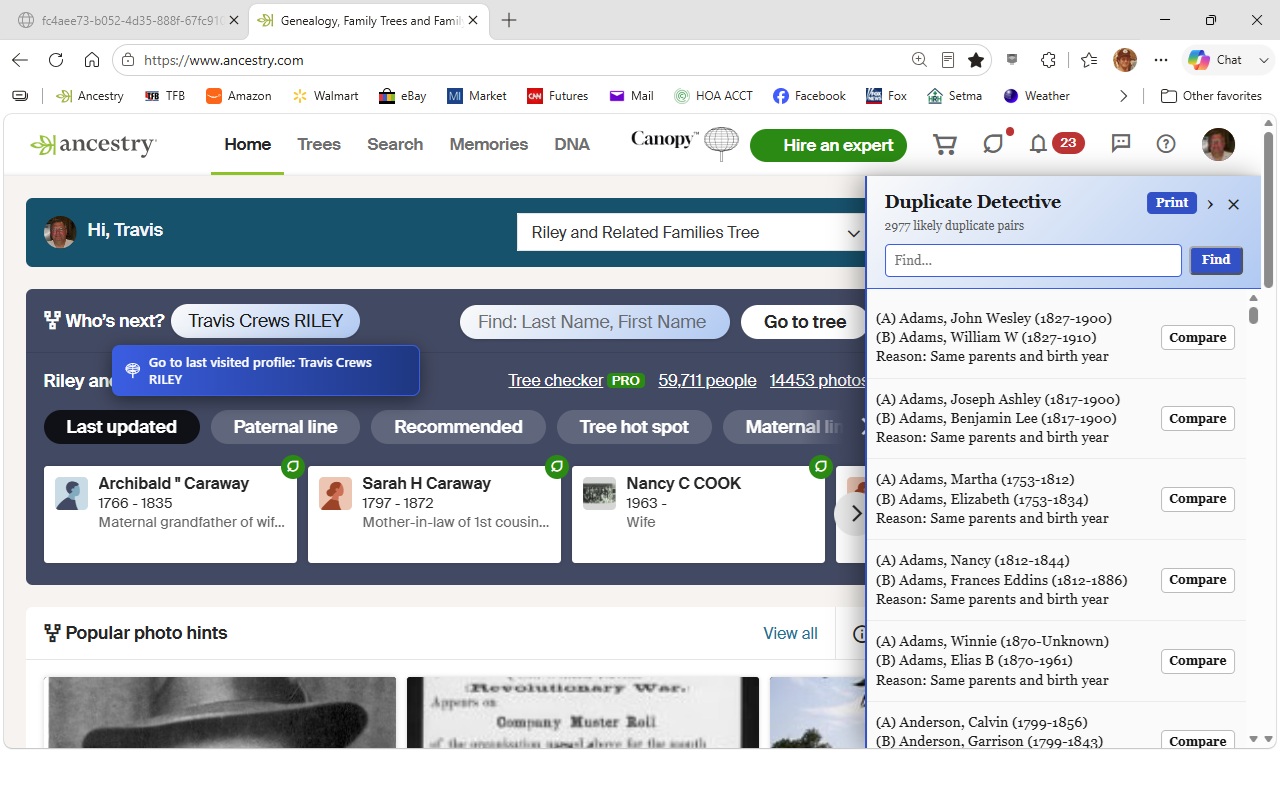
Finds likely duplicate persons—same name and dates, same parents and birth year, same spouse and children, and similar matches. After you merge in Ancestry, Canopy removes the deleted person from the GED index and returns the review panel so you can pick the next pair. |
Review panelOptional PDF |
| Family Group Sheets |
Generates traditional family group sheet PDFs for selected families—parents, marriage, children, and vitals. A wizard lets you choose scope and generations. |
PDF |
| Fan Chart |
Generates a full-circle ancestor fan chart PDF for the open profile. Choose 3–6 generations; Generation 1 is the profile at center. Locked rules: 5-gen is the standard set; 4-gen +2pt fonts; 3-gen +6pt fonts; paternal blue / maternal pink bands; on 6-gen charts gens 5–6 use Given / Surname / Dates. |
PDFLandscape Letter |
| First Birth to Life Span |
Tabulates average maternal lifespan by age-at-first-birth bucket (≤15, 16–20, 21–25, and so on). |
PDF |
| Funnel Ancestor Tree |
Generates a six-generation landscape funnel chart PDF for the open profile. |
PDF |
| Generational Gap CheckTrial |
Audits sibling spacing and parent–child timing within families: children born too close together, unusually long gaps, parents too young, and children born after a parent’s death. |
Review panelOptional PDF |
| High-Risk Mothers |
Highlights mothers with elevated childbearing risk patterns: very young or late first/last births, large numbers of children, or long spans between first and last child. |
Review panelOptional PDF |
| Household Migration Report |
For the open profile: opens with a generation-by-generation migration table (Start / Intermediate / Final regions), then lists person migration ranges for root through grandchildren. Uses GED events that include both DATE and PLAC. |
PDF |
| Kinship Report |
For the open profile, builds a PDF kinship summary from the GED index with section headings for parents, siblings (full/half), spouses, children, extended kinship (grandparents, aunts/uncles, first cousins, niblings), step relations, in-laws, and calculated kinship terms. |
PDF |
| Relationship FinderGedCom Tools |
Uses the open profile as the first person. Type part of the second person’s given name or surname, choose from matching people in the imported GedCom index, and Canopy shows the closest consanguineous (blood) relationship when one exists. If none is found, it states that and falls back to an affinal (marriage) relationship, or reports none if neither exists. |
Interactive picker |
| Kissing CousinsTrial |
Finds cousin marriages in the tree and shows each couple’s shared grandparents. |
Review panelOptional PDF |
| Large-Family Mothers |
Lists mothers with 14 or more children, flagging unusual first-birth age, last-birth age, or birth span. |
Review panelOptional PDF |
| Marriage Analysis Report |
Analyzes first marriages only from the GED index (no open profile required). Covers up to 12 generations back by time period and the decades they contain. Outliers under 12 or over 60 removed. Two tables: average age at first marriage by generation and by marriage decade, with male and female counts/averages and a Gap column (male avg − female avg). |
PDF |
| Maternal Risk Report |
Lists mother–child pairs where a woman died within 180 days of giving birth, grouped by likelihood (Strong Candidate, Probable Postpartum, Possible Pregnancy-Related). |
PDF |
| No Kin of Mine |
Treats the first individual in the imported GedCom as the base person. At import, each person gets a numeric Kinship Tier: 0 for consanguineous blood kin, otherwise the shortest parent/child or spouse path to a blood relative, or 99 if there is no path. Lists people at distance 7 or more (including 99). Distances 1–6 are omitted because Prune Distant Branches never deletes them. Tagged Do not delete people still appear, with a Do not delete column and Connection noting that they are protected. Sorted by distance descending. Runs straight to PDF with no review panel. A Selection Criteria link on the title jumps to the full rules. |
PDF |
| Narrative RegisterTrial |
Builds a flowing narrative descendant register PDF for the open profile—prose life sketches with NEHGS-style numbering, family groups, and vitals woven into paragraphs. |
PDF |
| Orphan HunterTrial |
Finds isolated individuals with no parents, spouse, children, or siblings in the GED index—people who may be unlinked or need further research. |
Review panelOptional PDF |
| Possible War Deaths |
Identifies likely military casualties by age, death year, and historically verified death locations for the Civil War (1861–1865), WWI (1917–1918), and WWII (1941–1945). |
PDF |
| Register Report |
Generates an NEHGS-style numbered descendant register PDF for the open profile, with structured person entries, vital events, and child lists under each family. |
PDF |
| Surname Index |
Indexes surnames from the open profile’s pedigree (up to 10 generations) into three alphabetized sections—Common (both lines), Maternal-only, and Paternal-only. Maternal/paternal use a compact two-by-two surname list. Uses the first surname only (non-letters stripped), keeping compound ethnic forms (e.g. del Goto). Equivalent surnames are merged. Grand totals include Common surnames. Ends with a Selection Criteria paragraph. |
PDF |
| Refresh Origins Table |
Counts surnames in this GED import that still have no origin. Origins are stored from Ancestry’s last-name meaning pages (Facts page, or Origins on the Horizontal tree). |
Local table |
| Surname Origins |
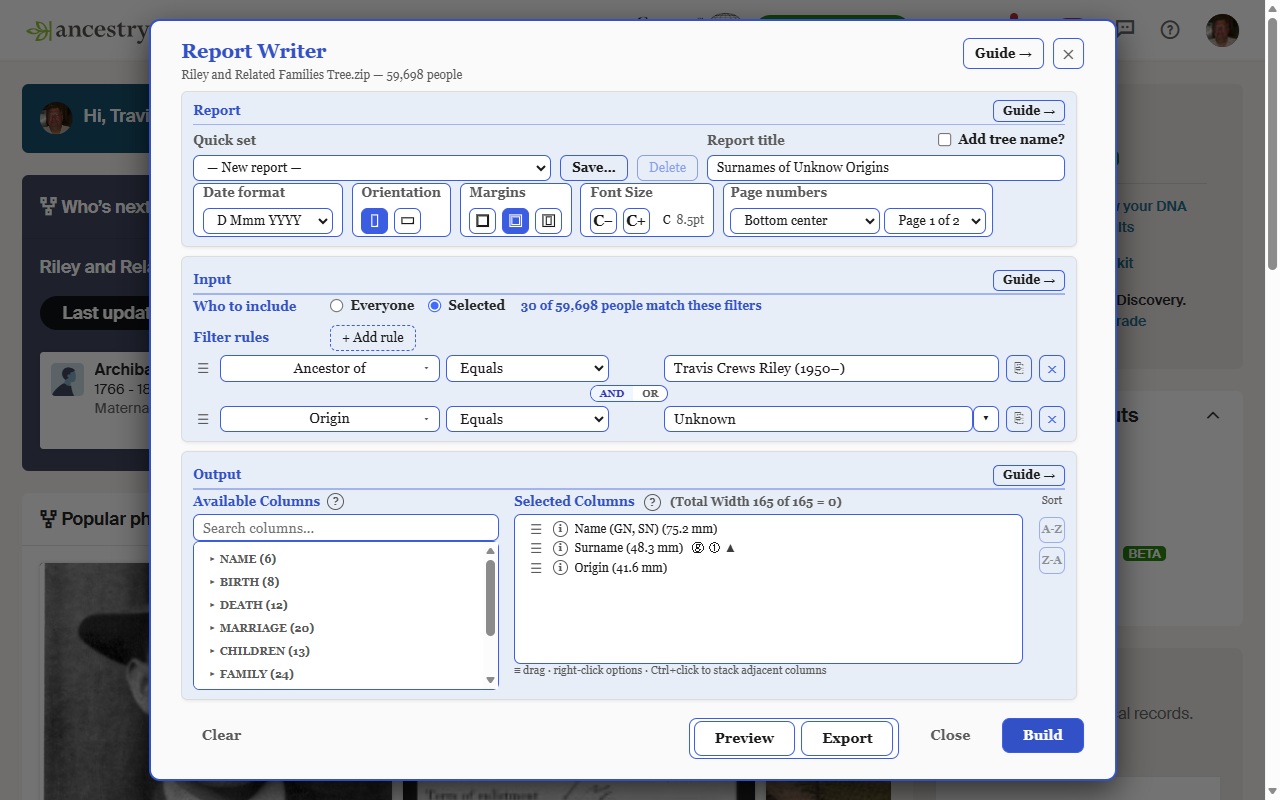
Whole-tree surname-to-origin list from the imported GED index. Equivalent surnames are merged. Origin is Unknown until Ancestry’s last-name meaning labels are stored (Facts page, or Origins on Horizontal tree view). Older country or place strings are ignored. The same Origin value is available as a Report Writer column and filter. Profile names show the origin in parentheses; click it to open the Ancestry page. |
PDF |
| Origin Lookup |
Review panel of surnames that have not yet been stored from an Ancestry last-name meaning lookup, sorted by how many people have that surname. Equivalent spellings are grouped. Opening the list copies a known origin onto already-linked variants and onto a unique in-tree neighbor or vowel-swap whose origin is already stored. The heading shows how many surnames and how many profiles still need an origin. Start walks the list silently against Ancestry and saves hits; on a miss it tries a few same-length vowel-swaps (Castanza → Costanza). Names Ancestry does not list stay for research. Pause/Resume and Quit leave the sidebar open. The heading counts update only when the run is paused or quit. Double-click or Search clears the clipboard and opens Google for Surname surname origin. A copy icon above the blue highlighted origin phrase copies that text and closes the tab. When you return, Set opens and focuses the language box; if the clipboard then holds a language or country name (Italian, Italy), it is pasted and the clipboard is cleared. Set also assigns a language by hand. |
Review panel |
| Surname Origin Mix |
Facts-page pie button beside the surname origin. Six-generation weighted mix of stored ancestor surname origins from the imported GED (first-listed label dominant: 70/30, 60/20/20, 50/20/15/15). Shares are of stored origins and add to 100%; empty slots affect coverage only. Groups under 1% combine as All Other. Print saves a PDF. |
Facts modalOptional PDF |
| Surname Lifespan Analysis |
Analyzes age at death by surname on the profile person’s paternal and maternal lines. Groups collateral relatives by surname, shows lifespan distributions and 70+ statistics, and excludes statistically insignificant surname groups. Requires an open profile. |
PDF |
| The Widowhood EffectSpecial Interest |
Analyzes spouse pairs whose exact death dates fall within 0–7 days (Immediate Widowhood only). Includes an eight-column table, couple narratives, household and family context, statistical summary, and explicit evidence limitations. Immediate cases are highlighted; explicit ended unions and matching shared external-event evidence are excluded. |
PDFLandscape Letter |
| They’re the Ones |
Finds seventh sons and seventh daughters (the 7th boy or girl among siblings, even when opposite-sex children appear in between), plus true seventh sons and daughters (exactly seven boys or seven girls in sequence with no breaks). |
Review panelOptional PDF |
| Twins & Then SomeSpecial Interest |
Finds sibling groups of two or more who share a full birth date (Confirmed) or only a birth year (Suspected). Each group is labeled after the parents as Twins, Triplets, and so on. Mixed groups—some children with a full date and others with a year only—are omitted, and same-name siblings sharing a birth date are treated as duplicate records and dropped. |
PDF |
| Who’s Your DaddyTrial |
Lists individuals with a missing or incomplete father link—no father recorded, or father listed without enough detail to verify the connection. |
Review panelOptional PDF |