


Canopy™
You spent a lifetime growing the tree. Leave them the canopy to gather beneath.
You chased the hints, verified the census rows, and did the hard research. Canopy works inside Ancestry to put every name, date, and place in one genealogical standard, test each life against 19 timeline rules, score profiles from 0 to 100, and match census households against the family in your tree. Import your GEDCOM and the same index drives Report Writer and 33 printable reports and charts.
7-day free trial · no credit card · then $69.95 a year
- 164,000+ US places checked for the right county and state
- 19 timeline rules run against every life event
- 33 reports and charts from your imported GEDCOM
- 100+ Report Writer columns ready to filter and print
- 42,000+ given names in the gender database behind census checks
Inside Ancestry
Canopy works on the pages you already use
Profiles, Edit Person sidebars, merge and compare pages, ThruLines, and the tree views. Canopy adds its controls to Ancestry’s own screens, and you approve every change before it is saved.
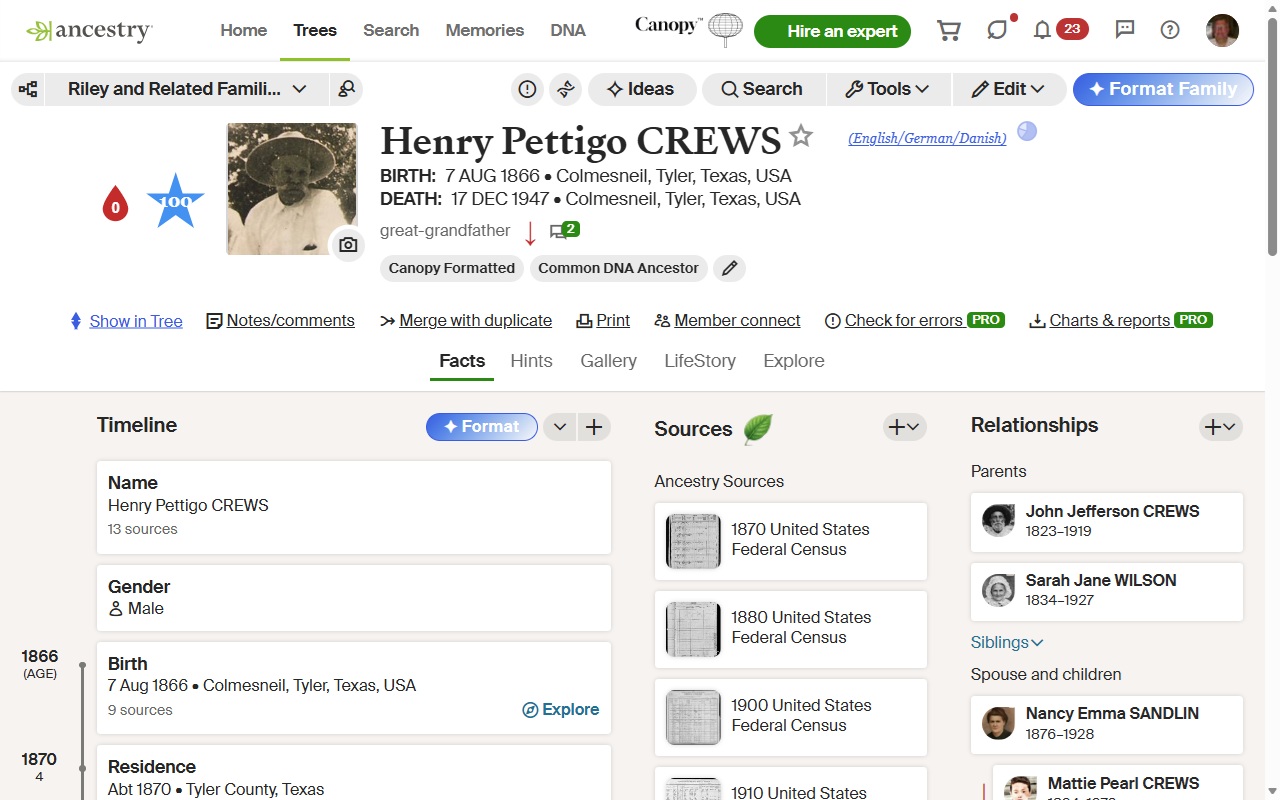
Every profile
Scored, checked, and one click from clean
The Profile Quality Star scores how complete and well-evidenced the person is, from 0 to 100: birth and death dates, sources, timeline events, and relationships. The kinship badge reads the relationship under the name: a red blood drop for blood relatives and a numbered ladder for everyone else. The surname origin sits beside the name and opens Ancestry’s meaning page.
Timeline Analysis runs 19 rules against the dated facts and family years and flags what cannot be true, such as a death before a birth or a child born after the mother died.
Data quality tools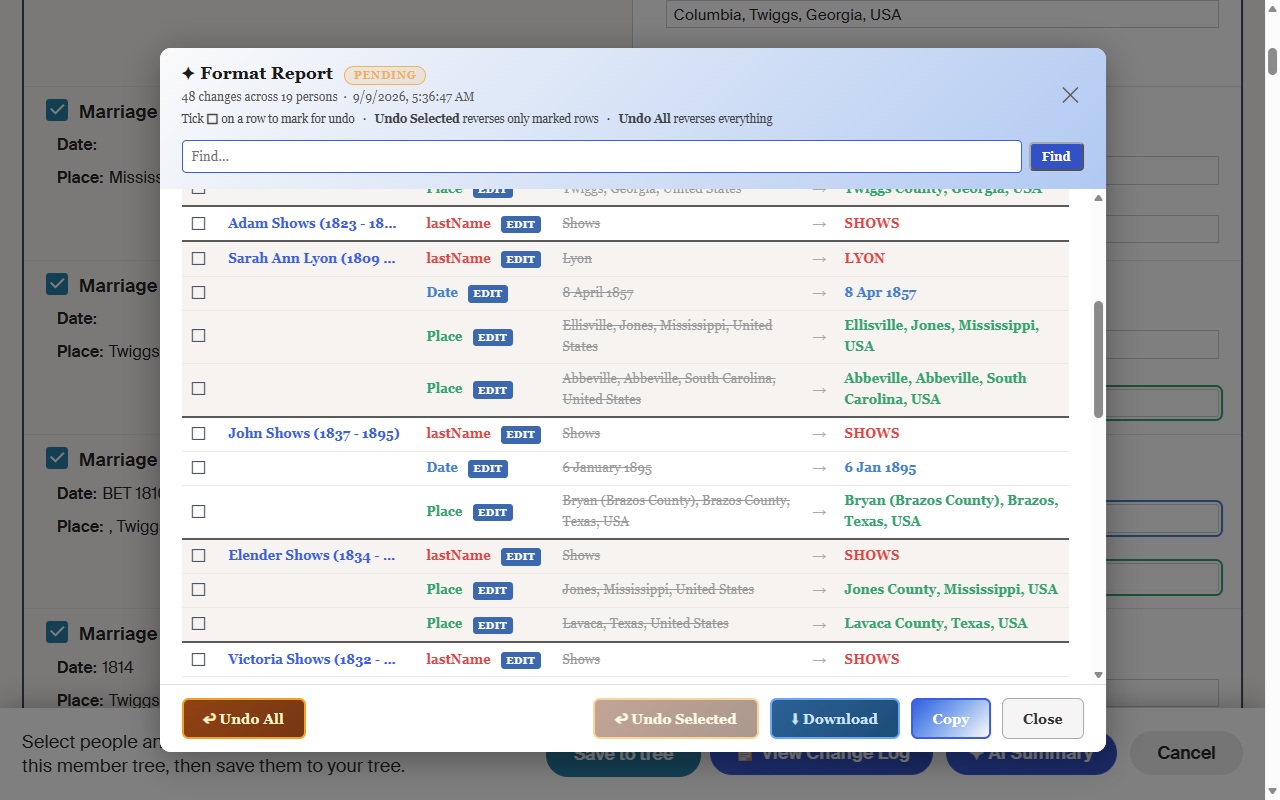
Professional formatting
Names, dates, and places in one standard
- First names in Proper Case, surnames in ALL CAPS, suffixes from an approved list
- Any date to DD Mon YYYY, with Abt, Bef, Aft, and Between kept
- US places to City, County, State, United States from a database of over 164,000 entries; Canadian places to Municipality, MRC or county, Province, Canada
- Format a single record, a whole family, or every ancestor visible on the tree
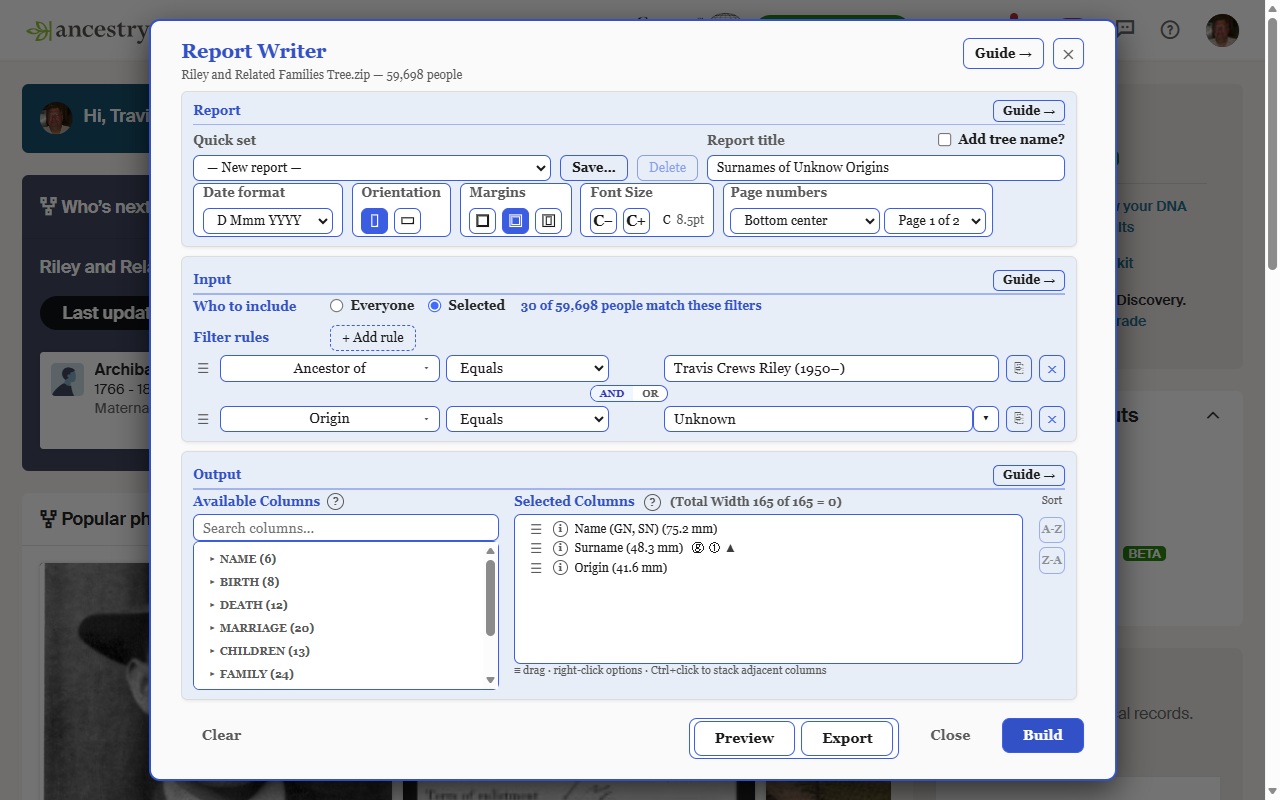
Report Writer
Ask your tree any question, and print the answer
Report Writer uses your downloaded GEDCOM to build fully custom reports. Choose who to include, apply filters, pick from more than a hundred columns, and build a PDF. It comes with a library of sample reports to use, modify, and learn from, and it runs on your computer with no AI involved.
Explore Report Writer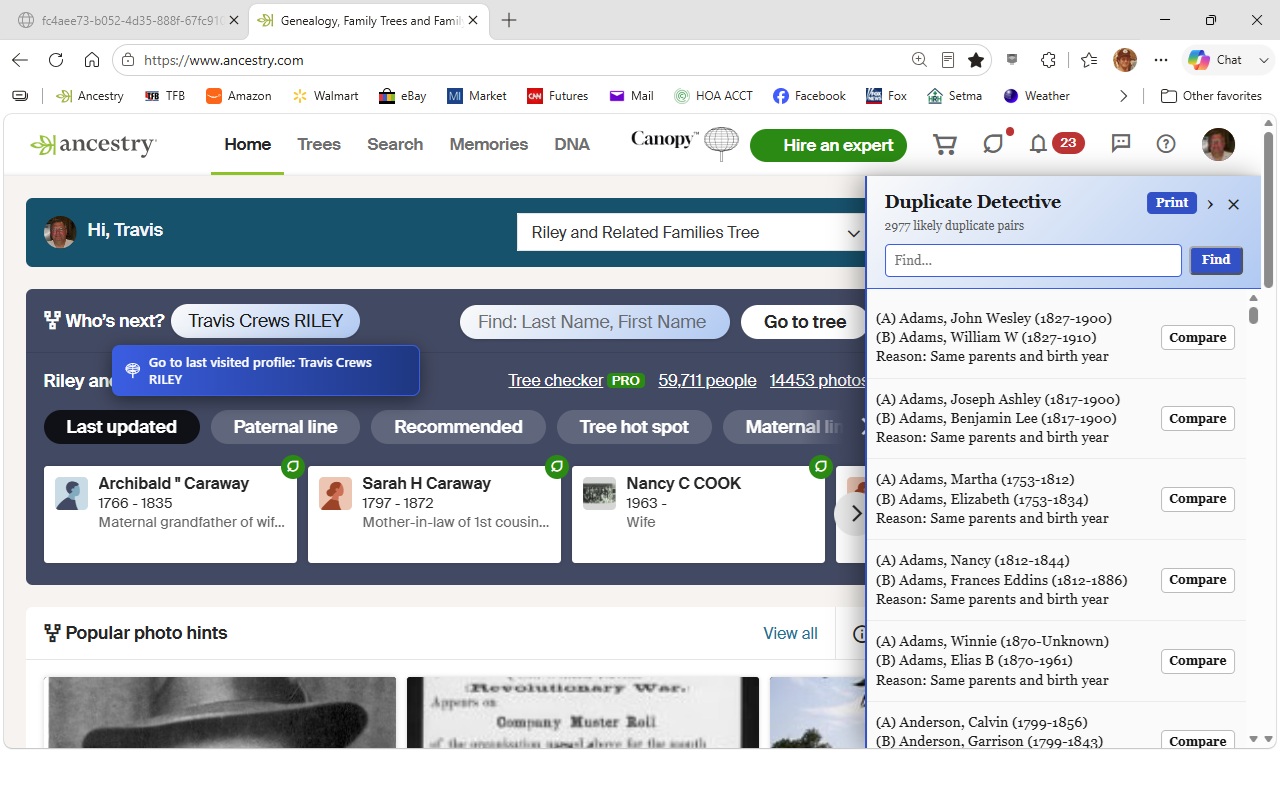
Data-quality scans
Find the duplicates and impossibilities hiding in a large tree
Duplicate Detective finds likely duplicate persons: same name and dates, same parents and birth year, same spouse and children. After you merge in Ancestry, Canopy removes the deleted person from the index and returns the panel so you can pick the next pair.
Age Outliers, Generational Gap Check, Orphan Hunter, Who’s Your Daddy, and No Kin of Mine scan the whole tree the same way.
Data-quality reports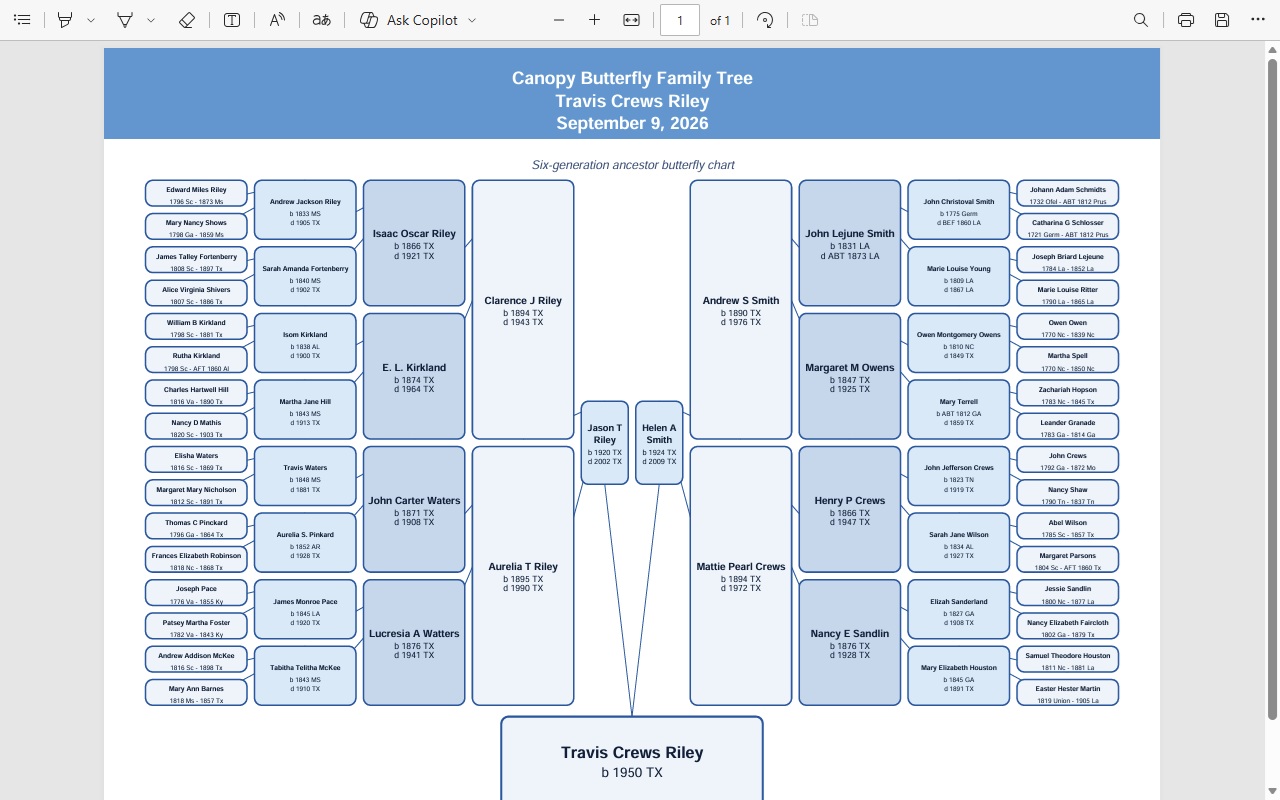
Charts to pass along
Pedigree charts and registers worth framing
Fan Chart, Classic Fan Chart, Butterfly, Funnel Ancestor Tree, Ahnentafel, Register and Narrative Register, Family Group Sheets, Surname Index, Kinship Report, and Household Migration — each built from your imported GEDCOM and saved as a PDF on your computer.
See all 33 reportsA ready legacy
You did the hard research. Canopy helps you leave it tidy — so the next generation can open Ancestry and see the story clearly.
-
Polish the record
One-click formatting for names, dates, and places, with a change log for every edit.
-
Catch mistakes early
Timeline rules, vital-stats checks, census matching, and quality stars.
-
See the whole tree
Local GEDCOM reports and charts you can print and pass along.
How it works
Four steps inside Ancestry
- Install Canopy from the Chrome Web Store and start your free trial.
- Open your Ancestry tree — Canopy meets you on the pages you already use.
- Format fields, check timelines, and review every change before you save.
- Import a local GEDCOM for printable reports, charts, and family group sheets.

Get Canopy
Start with your tree
Seven days free with full formatting and seven sample reports — no credit card. Then one annual license, $69.95, unlocks all 33 reports, Prune Distant Branches, and unlimited Format Families.